

Advance HE Community Listening Exercise 

Posted on

Share Your Experiences and Perspectives 

UWE Bristol has commissioned Advance HE to lead an independent Community Listening Exercise for staff and students. 

Following recent developments, including the Supreme Court ruling, EHRC guidance, updates to the Trans and Non-Binary Policy, and the Equality Impact Analysis (EIA), we recognise that people have a range of experiences, perspectives and questions. Advance HE will provide a safe and impartial space to share these views. 

The Vice-Chancellor, Professor Steve West, and Students’ Union Officers will also explain the purpose of this independent Community Listening Exercise and the importance of providing a respectful and inclusive space where staff and students can share a range of experiences, perspectives and questions. 

Ways to Take Part 

You can participate in whichever way feels most comfortable and accessible to you. 

Online Reflection Form 

An anonymous online reflection form is available for anyone who would prefer to share their views in writing. 

Opens 17 August 2026 
Closes 26 October 2026 
Link Advance HE Community Listening Exercise UWE Online Reflection Form

Student Opportunities 

You can participate in whichever way feels most comfortable and accessible to you.  To help make sure as many people as possible can take part, please only book one session. You may choose either an online group session, an in-person group session, or a 1:1 session.   

Places for 1:1 sessions are limited and will be allocated on a first-come, first-served basis. There are eight places available, intended for those who feel unable to attend an open forum. 

Activity Date & Time 
Online Reflection Form 17 August – 26 October 2026 
Online Listening Session 1 (Space available for up to 25 participants) Monday 28 September 2026, 12:00pm-1:00pm 
Online Listening Session 2 (Space available for up to 25 participants) Monday 12 October 2026, 1pm-2pm 
In-Person Listening Session Frenchay Campus (Space available for up to 20 participants)  Wednesday 21 October 2026, 12-1pm
Confidential 1:1 Conversations
(45-minute slots) 
1 October 2-2.45pm &  3–3.45pm  

5 October 2-2.45pm & 3–3.45pm 

8 October 2-2.45pm & 3–3.45pm & 4–4.45pm  

12 October 2.30-3.15pm & 3.30-4.15pm    

By appointment – email baljit.birring@advance-he.ac.uk your preferred date and time 

Register: Registration – Advance HE Community Listening Student Sessions 

Have Your Say 

Every member of our community experiences university life differently. Whether your experiences have been positive, challenging or somewhere in between, we encourage you to participate and share your perspective. 

FAQs  

Q: Why are we doing this? 

A: This exercise is an opportunity to listen and learn. 

The aim is to better understand: 

  • The lived experiences of staff and students. 
  • What inclusion, dignity, respect and belonging look and feel like across our community. 
  • Experiences of facilities and spaces across UWE Bristol. 
  • How different perspectives and experiences are navigated within our university community. 
  • What UWE Bristol can learn from the experiences shared. 

Q: Who are Advance HE and the facilitators?  

The Community Listening Exercise will be facilitated by David BassAdvance HE’s Director of Equality, Diversity and Inclusion, and Baljit BirringSenior Consultant –  Inclusive Leadership . Together, they bring extensive experience of supporting universities to navigate complex inclusion issues, facilitate sensitive conversations, and create safe, respectful spaces where diverse experiences and perspectives can be shared and heard. 

Q: How is this listening exercise different from the Equality Impact Analysis? 

A: The EIA was a formal engagement process that helped the University understand the impacts of the policy update and informed the subsequent You Said, We Did: Trans and Non-Binary Policy Update | Student blog  response published Wednesday 3rd December 2025.  

This Advance HE exercise is different. 

It is: 

  • An independent listening exercise. 
  • Focused on lived experiences and community perspectives. 
  • Facilitated externally by Advance HE. 
  • Designed to understand experiences, impacts and community dynamics. 

It is not

  • A consultation on policy changes. 
  • A review of policy wording. 
  • A legal review. 
  • A decision-making forum 

Q: How will sessions be facilitated? 
A: The group sessions, one-to-one conversations, and online reflection form will be guided by the following five questions: 

  1. What has been your lived experience of working or studying at UWE over the last few months following the Supreme Court ruling, the revision of UWE’s Trans and Non-Binary Policy, and the publication of the final EHRC guidance? 
  1. When you think of an inclusive and respectful environment, what does that look and feel like? 
  1. How effective are UWE’s current facilities, such as gender-neutral toilets, single-sex toilets, changing facilities, and accessible spaces? Where could improvements be made? 
  1. How does the University balance differing rights, needs, and perspectives within its community? Can you share examples of successful collaboration across differing viewpoints? 
  1. Is there anything else about your experience that you would like UWE to understand or consider? 

These questions provide a framework for the discussion. Participants will also have the opportunity to raise any other experiences, views, concerns, or suggestions that they would like to share 

Q: How will confidentiality be protected during the discussion? 

A: Advance HE will independently manage registrations, facilitate the sessions and analyse the information gathered. 

Feedback will be reported thematically, and comments will not be attributed to named individuals. UWE Bristol will not receive participant-by-participant accounts of discussions or one-to-one conversations.  

 If you join a group session, other participants will know who is taking part. Everyone will be asked to engage respectfully and in line with agreed principles of participation, including listening to understand, speaking from personal experience, respecting difference and maintaining confidentiality about what is shared within the group. 

Q: What happens after the engagement period ends? 

A: Following the engagement period, Advance HE will independently analyse the themes emerging from the reflection forms, group listening sessions and 1:1 conversation.  

To ensure transparency, the findings will be shared with all staff and students through an open webinar presentation. The playback will consist of a presentation of the key themes, experiences, and insights identified through the review. Individual comments will remain anonymous and will not be attributed to participants. 

Q: What support is available to me? We recognise that discussions about identity, belonging, inclusion and lived experience can be personal and, at times, emotionally challenging. 

Q: Who should I contact if I have accessibility requirements or questions? 

A:  If you have any accessibility requirements or questions about taking part, please respond to this in the registration form. This will enable the team facilitating the engagement activities to provide any support or adjustments you may need. 

If you have any remaining questions about taking part in this listening exercise, please contact  baljit.birring@advance-he.ac.uk   

Assessment Offences – what counts as cheating?

Posted on

You’ve most likely heard your module or programme leader talk about assessment offences: but what are they? Can you use AI? What’s an essay mill? How much does referencing matter?

Read on to get clarity so you’re not at risk.

Let’s chat AI first

Headline: Speak to your tutor about appropriate use of AI.

The University has published guidance on the appropriate use of Artificial Intelligence (AI).

Don’t submit AI-generated work off as your own original work. You should ask your tutor about whether you can use AI in assessments. If you do use AI, reference its use – here’s guidance on how to do this. If you’re in any doubt about using AI, or how to reference it, speak to your module leader.

Contract cheating, ghost writing and essay mills

Headline: Someone writes something for you but you’re listed as the author – often for a fee.

Ghost writing services and essay mills are when you pay a company to write your work for you. You may have Follow requests on Instagram from these services.

We’ve heard some horror stories of students using essay mills and then being blackmailed by the company – saying they’ll tell the university that the student didn’t write the work themselves. Essay mills might make it look like you’re saving time, money and effort – but long term it’s not in your best interest.

Here’s the full list of what counts as contract cheating:

  • Submitting as your own work which has been produced in whole or part by another person on your behalf;
  • Making available, or seeking to make available, material to another student or students with the intention that it is used by them to commit an assessment offence e.g. posting exam questions online.

Collusion

Headline: Working with one or more students to create a piece of work but submit it as your own.

We understand that collusion can seem like a good thing, especially as many courses have group work as part of them. But collaboration and group work should only be used when indicated by the module leader. We want to hear your original thoughts and ideas!

Here’s the full list of what counts as collusion:

  • Unethically collaborating with one or more students to complete an assignment, take an exam, or engage in other academic activities with the intent to deceive or gain an unfair advantage. This can include sharing answers or jointly submitting work when individual efforts are stipulated;
  • Assisting another person in the completion of work submitted as that other person’s own unaided work;
  • Sharing your work with another person and/or permitting them to copy all or part of it and submit it as their own unaided work.

Controlled conditions

Headline: Using extra resources not allowed for timed assessments.

Controlled conditions are timed assessments e.g. an exam.

Cheating in this context can include using additional resources for the assessment, like an annotated book or a mobile devices you’re not allowed or chatting to other people about your answers.

Here’s the full list of what counts as cheating in exams:

  • Having in your possession materials and / or devices which are not allowed for that assessment;
  • Fraudulent activity, e.g. gaining access to the questions or solutions in advance of an assessment and using this to fraudulently complete the assessment;
  • Unauthorised communications, including the use of online platforms to discuss online assessments;
  • Arranging for someone else to impersonate a student in an assessment.

Plagiarism

Headline: Submitting someone else’s work as your own.

This is the most common form of plagiarism. It’s so easy to be caught out unintentionally.

Plagiarism can be as simple as quoting an author in an essay and not referencing it correctly.

Did you know you can even self-plagiarise? This means submitting a piece of your own work twice – e.g. for two separate assignments.

Here’s the full list of what counts as cheating via plagiarism:

  • Copying from another person’s work without the use of quotation marks;
  • Copying from another person’s work without referencing/acknowledgement of the sources;
  • Summarising another person’s work by simply changing a few words or altering the order of presentation;
  • Paraphrasing material from a source without acknowledging the original author;
  • Not respecting or acknowledging the copyright and intellectual property of others;
  • Presenting concepts or designs that have been created by others without acknowledging the original source;
  • Copying another student’s work with or without their knowledge or agreement;
  • Downloading material from the web and submitting it as your own work, or submitting work created by using AI tools without acknowledgement;
  • Using course notes without referencing.

Check out the Library’s workbook on how to reference to avoid plagiarism.

Falsification

Headline: Making stuff up!

Maybe your experiment didn’t go to plan, and so you ‘tweak’ the results to work for you. That’s falsification!

Here’s the full list of what counts as falsification:

  • Falsifying or misrepresenting the results of experimentation/research data;
  • Falsifying your references and/or bibliography or in-text citations;
  • Falsifying reports or projects.

Fabrication

Headline: Making stuff up again!

Maybe you’ve not planned your assignment properly, so you panic and make stuff up to fill the word count. That’s fabrication.

Here’s the full list of what counts as fabrication:

  • Reporting on experiments/research never performed or data never collected.
  • Providing references or/and in-text citations that do not exist.

Research ethics breaches

Headline: Doing something that is against the University’s Research Ethics

As your research proposals are signed off by an academic, this should rarely happen. If you’re not sure about the ethics of the work you are doing, speak to your module leader or research project supervisor.

Summing up

You might have noticed a theme in all of these Assessment Offences: they all mean that the work you’re submitting is not your own.

Remember, the point of assessments is to:

  • check your understanding of a subject;
  • showcase your original thoughts and ideas;
  • prepare you for your future career.

So, we want to see your work, your ideas, and grade and award you appropriately!

If you are tempted to cheat, or want advice on how best to present your work, there are loads of resources available – or speak to your module leader for advice.

Further resources

https://www.uwe.ac.uk/study/academic-information/assessments/academic-integrity

https://www.uwe.ac.uk/study/study-support/study-skills#ai-guides

https://www.uwe.ac.uk/study/study-support/peer-assisted-learning

https://www.uwe.ac.uk/study/study-support/study-skills/referencing

Private renting tips

Posted on

Renting for the first time can be daunting. Partner that with Bristol’s notoriously competitive housing market, and the process can feel overwhelming. 

We’ve compiled a list of tips to ease finding your next home, and make sure you know what to look for and what to avoid. 

Planning

First things first, you need to plan.  

  • Set a budget and check if the rent includes bills. Be realistic about what you need and want from your rental. Bristol is an expensive city to live in so your budget might not stretch to what you’d want, but it should always cover what you need. An ensuite room in BS1, for instance, could be out of your price range, but a shared house in BS7 would be more manageable. 
  • Start having conversations with who you want to live with. Think about how many people is the right amount to live with. The fewer people, the more expensive the property, but too many and it becomes hard to find somewhere. They don’t have to be the same people you lived with in halls. They might be course friends, people from a society you’re in, or just a random bunch of people you happen to have formed a group with. 
  • Do your research. If you have never rented before, it can be hard to know where to look. As well as traditional sites like Rightmove and Zoopla, there are also sites dedicated to student rentals. The Students’ Union have made a list of trusted sites.  
  • Start looking early. Most people start looking for their next year’s home around November and December. That can feel really early, but the market moves very quickly in Bristol. There is enough to go around, and you can never be too prepared. 

Viewing

Once you have made a plan, it’s time to start viewing properties. 

  • Always view the properties yourself before signing any agreement. A common scam is criminals falsely claiming a property is something online, but in reality, it is something very different – or worse, doesn’t exist at all. If possible, everyone who will be living in the house should view it before agreeing to live there. But we know that schedules can be hectic, so nominate a couple of people to look on everyone’s behalf. Take photos and videos of the rooms to remind yourself what the property looks like. 
  • Be flexible with your location. You might have your heart set on living on Gloucester Road but it’s worthwhile looking around nearby areas as well. Properties tend to be more budget friendly away from the main hotspots. Keep to an easily commutable distance to your campus and think outside the box. 
  • Don’t rush into anything. It might be tempting to take the first property you view, but it’s worthwhile viewing a few before making your choice. That way you can better understand what it is you really want and what is realistically available. 

Signing contracts

When it comes to signing for your property, keep these tips in mind. 

  • Read your tenancy agreement. And we mean really read it. Don’t skim read it and assume everything will be okay. Tenancy agreements are legally binding documents that both tenants and landlords must obey. 
  • Triple check that everyone wants to live in the property. Once everyone has signed, it can be hard to back out of a contract. If someone leaves halfway through the tenancy, check to see if you will need to find someone or if the landlord will find one for you. It could be the case that you need to cover there share of the rent as well. 
  • Pay your deposit into a deposit protection schemeUnless you are going to be a lodger, your landlord must, by law, hold your deposit in a protected scheme. Usually, you will pay your deposit to the landlord or agency, and they will transfer it to the scheme. You will receive a receipt of the transfer. 
  • Be cautious of scams. Apart from holding deposits, tenancy deposits and first month of rent, landlords and agencies should not be asking for any other payments. Most agency fees are banned in the UK.  

Moving in

Moving and living in private accommodation works a little differently to living in halls as well. 

  • Take photos of damage before you move in. Before you start unloading your boxes, walk around the house and check for any damage. Take photos of anything that doesn’t look right and send them to your landlord/agency. They will use this record for comparison when you move out. 
  • If bills aren’t included, set up your payments. Work out how much you will need to pay to cover your water, energy and internet bills and split the amount equally. It could all come out of one person’s account, or you could spread the bills across household members. Most providers have easy set ups available on their websites.  
  • Be respectful of your neighbours. In halls, you’ll have been surrounded by fellow students. In private accommodation it’s likely that it will be families, professional house-shares and maybe a few other student houses. Keep the noise down, take your bins in after they have been collected and remember that you’re a part of their community as well as ours now. 
  • Be mindful of your impact in the household. As a member of a house, you need to make sure you’re putting your fair share of work into making sure it is a nice place to live. Do your washing up after you’ve eaten, clean the bathroom after you’ve used it and don’t be loud late at night. 
  • Don’t make any changes to the house without permission. This could include putting nails in walls to hang pictures, adding attachments to plumbing and even blue tack stains. 

Moving out

Moving out is just as important as moving in in private accommodation. 

  • Deep clean everything. Landlords need the home to be returned to them in the same condition they received them in. A quick vacuum of the carpets won’t be enough! If you don’t clean well enough, they might get external cleaners in to finish the job. Often this is charged to the tenants too. 
  • Cancel your bills. If they’re not included in your rent, you’ll need to cancel your bills at the end of your tenancy. Take meter readings of your energy use and follow instructions from your provider. 
  • Get your deposit back. Landlords must release your deposit from the protection scheme within ten days of the tenancy agreement ending. If there is a discrepancy or dispute, they must provide written evidence of why they have reduced your repayment. 

Vaccinations: what’s your status?

Posted on

Do you know what you’re vaccinated against?

Ideally you should be fully vaccinated before starting university but it’s not too late to get vaxxed. You can get all the vaccinations below at a GP in Bristol or at the University Health Centre.

You can easily check your vaccination status by checking your health record:
Patient Access.

These are the key viruses you can easily be vaccinated against:

  1. Meningitis

    Meningitis, sepsis and septicaemia (blood poisoning) are very serious, potentially life-threatening illnesses that can lead to life-changing disabilities, such as amputations, hearing loss and brain damage. Find out more

    2. MMR (measles, mumps and rubella)

      The MMR vaccine gives long-term protection against measles, mumps and rubella. These 3 infections spread easily between people and can lead to serious problems including: meningitis; blindness; hearing loss. Find out more

      3. Human papillomavirus (HPV)

        HPV is the name of a very common group of viruses. HPV is spread by skin-to-skin contact and can increase the risk of genital warts and some types of cancer. A single dose of HPV vaccine is now recommended – it’s available to all those aged under 25 and takes less than five minutes!

        4. Influenza (‘flu’) and COVID-19

          If you think you might be in a high clinical risk group, contact your GP to see if you need to have a flu vaccine or a first COVID-19 vaccine or booster.

          Tuberculosis tests

          If you are from any of these countries and you will be in the UK for more than six months, you must take a tuberculosis (TB) test.

            Read the UK Visa and Immigration guidance on tuberculosis tests.

            You may also be interested in

            Why vaccination is important and the safest way to protect yourself – NHS

            National Flu Immunisation Programme

            Sharing your pronouns in Microsoft 365

            Posted on

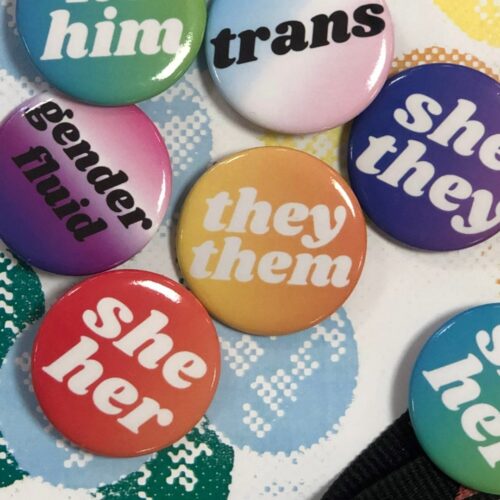
            We’re happy to announce a new feature in Microsoft 365 which allows staff and students to record their pronouns against their profile card. These profile cards are displayed in applications such as Teams and Outlook for the Web and will be visible to all staff, students and guest accounts. Your pronouns will not be displayed to users outside of this organisation.

            Sharing your pronouns is a great way to create a more inclusive environment by allowing everyone to feel recognised and respected. It allows people to express their gendered and non-gendered identities in a safe way, enabling them to experience fewer unintentional microaggressions. This is in line with our Trans and Non-Binary Policy, and our Trans and Non-Binary Guidance Referring to Students.

            Sharing your pronouns is a personal choice and there is no pressure to do so. The use of this feature is entirely optional and gives you full control – you can add, amend or delete your pronouns at any time. Please make sure you are using this feature respectfully; misuse of this feature does not reflect our commitment to inclusivity and respect and will not be tolerated.

            For detailed guidance about how you can update your profile and where pronouns will be displayed, please click here.

            If you need further support, advice or information, please get in touch with the Student Support Adviser team, or the IT Service Desk for technical assistance.

            Make the most of your free access to Adobe Express – start creating now!

            Posted on

            UWE has partnered with Adobe to become an Adobe Creative Campus. This means you get FREE access to Adobe Express! Now you have at your fingertips tools to enhance your digital skills, from video editing, to creating eye-catching CVs and remarkable social media campaigns.

            We understand the importance of equipping you with the digital skills necessary to help you make noise in the modern world – whether online, in class or in the workplace. With Adobe Express, you’ll be ready.

            Adobe Express is available to all UWE students – no design experience needed!

            With the ability to amplify your digital fluency during your time at UWE, you’ll have the space to develop a wealth of indispensable skills you can use for work and play.

            Some of the features include:

            • All-in-one editor. Create anything from a TikTok video to a flyer, all in one place.
            • Try a template. Get inspired with thousands of high-quality templates – including everything from CVs and cover letters, webpages, videos, and multiple page templates to Instagram Reels.
            • AI-powered tools. Adobe Firefly makes it easy to generate high-quality images and text effects. Create extraordinary images using the ‘Text to Image’ feature.
            • Hundreds of thousands of Adobe Stock assets and Adobe Fonts. Access high-quality, royalty-free photos, videos, music tracks, and fonts to bring your projects to the next level.
            • Real-time edits. Collaborate, edit, and comment in real-time with multiple users.
            • Stunning animation effects. Experiment with ‘animate from audio’ to create personalised video – you can sync animated characters to recorded dialogue (complete with gestures and lip movements!).
            • Quick actions. Get those tasks done quick. Convert your files or remove the backgrounds from your favourite photos in just a few clicks.
            • Make your PDFs perfect. Upload, edit, and design your PDFs to make stand-out visual documents.
            • Schedule! Plan, schedule, and publish your social media content all in one place.

            How to get going with Adobe Express

            • Head to https://www.adobe.com/express/​ to log in.
            • Select ‘continue with email’ and enter your UWE email address. ​
            • When prompted, select ‘Company or School Account’.​
            • Use your Microsoft Authenticator App to approve the sign in. ​

            There’s plenty of help available so you can get the most out of Adobe Express.

            You also have access to the LinkedIn Learning library of video courses. Here are are some suggestions to help guide you through it all:

            And if you have any technical issues, you can contact IT Services.

            Have fun!

            Back to top